Your server / your library / your media home
OmniLux
A beautiful, self-hosted home for the media you already own.
Organize, browse, and watch movies and shows from an OmniLux server running on hardware you control. Another media server is optional, never required.
Private beta applications are open. Approved households receive browser-first, self-hosted access when a current release is ready for their setup.
01 / one media home
One home for the media you own.
OmniLux brings your household library, discovery, and playback into one standalone self-hosted system. It runs on your hardware and does not need Plex, Jellyfin, or Emby underneath it.
Standalone by design
Your original files stay yours
Local use comes first
The foundation
Your server / your library / your rules
02 / discovery
Make a large library feel inviting again.
Browse poster-led shelves, search across the catalog, and move from a quiet home screen to the next thing worth watching without managing another dashboard.
Content before controls
Progress stays visible
Designed for the household
The experience
One library / clear shelves / quick decisions
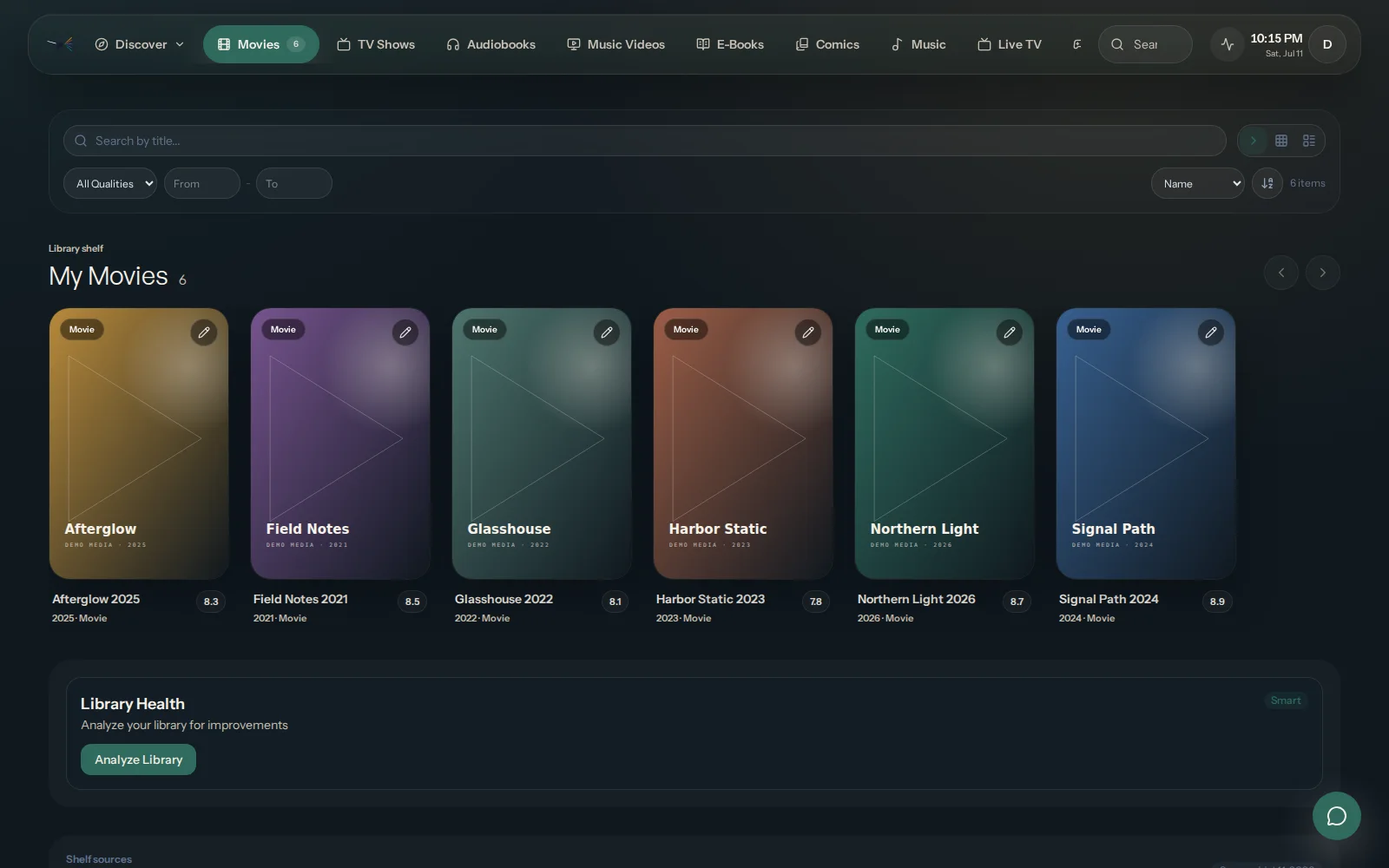
A library made for browsing
Turn your collection into shelves that make the next great watch easy to find.
Real OmniLux interface · demo library
03 / direct playback
Play from the server you control.
Watch from your own server in the browser during private beta. Native TV and mobile experiences remain on the roadmap without changing who controls the library.
Local playback is the core
Cloud stays optional
TV and mobile apps are planned
The connection model
At home first / private by design / remote on the roadmap
04 / planned migration
Move at your pace, not ours.
Guided migration is planned, not part of the current private beta. When it is ready, you will be able to preview and verify a move from Plex, Jellyfin, or Emby before anything changes.
Keep your current server online
Preview before import
Move only when you are ready
Planned next step
Preview / verify / choose / move
Ready when you are
Start with the media home you control.
OmniLux stands on its own. Private beta begins with local browsing and playback in the browser; migration, remote access, and native apps remain on the roadmap.